
How to Rearrange Photos on iPhone Easily Guide
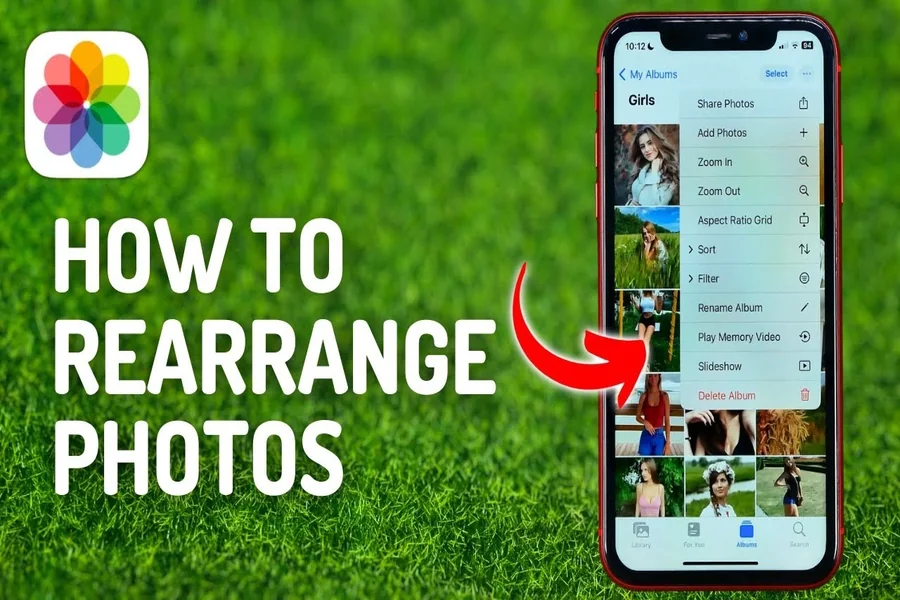
Scrambling the photos on iphone can help in making your online or digital life appear more relaxed and well organized. Photos are taken at the right time and when they are arranged properly they become enjoyable. Some individuals upload a lot of photos in a month and eventually the gallery might get cluttered.
Apple provides products that make it easy to deal with photos. You are able to categorize pictures and modify their sequence and form albums that suit your preferences. This does not require any special skills. You just have to take some time and realization.
This manual describes the process of arranging photos on iphone in an easy and understandable manner. It is a way of organizing your photo library and continue to enjoy your memories.
Understanding How to Rearrange Photos on iPhone
To know how to reorganize photos on iphone, it is important to figure out the functions of Photos application. The app saves the images in order by date although you can arrange the images in albums. Albums provide you with the freedom of the appearance of photos.
The order of the main camera roll cannot be changed as it is in the order of the date taken. However, within albums, you can make albums and even spot photos and order them in any way that you want. This provides freedom without original files changes.
Albums act like folders. Photos can be moved into them and can be moved around by touching them. This approach is appropriate in the case of trips events or projects.
Once you know this structure you have greater control. One can find photos easier and even have a good time browsing through your memories.
Using the Photos App to Move Images
Photos app enables one to place the images within albums easily. The first thing is to create a new album or open an existing album. You then add photos that you wish to add.
When photos are in an album you have the ability to press and hold one picture. You may then drag it to another location. This enables you to arrange the sequence in which you want.
It is applicable to any album that you make. It is useful when you need to narrate some story or store images on the same topic.
It is also possible to rename albums by matching them to themes. This will make your library tidy and comfortably navigable.
This method of rearranging photos will not destroy or alter the files. It can only influence your perception of them in that album.
Organizing Albums for Better Control
Albums are used to make your photos have order. You can make albums about family trips on holidays or business. Photos can be placed in any order on each album.
In order to maximize on albums, adopt easy names. This will assist in searching content more quickly. You can also get rid of the albums you do not require.
Smart albums are updated automatically according to rules. With manual albums you get complete convenience. Both of these choices assist in organizing your library in one way or another.
It is also possible to share albums with other people. It can be applied in group tours or family outings. Others can also add photos to shared albums.
Systematic planning of your photo collection makes it simpler to manage as well as fun to navigate.
Tips for Better Photo Order and Memory
The act of arranging photos makes you remember times as they happened. Attempt to sort out the photos immediately after taking them. This helps to avoid piling up of clutter.
Organize photographs with albums in terms of theme or time. This enables one to easily locate what you need at a later date.
Erase images of duplications or unwanted images frequently. This makes your library tidy and to the point.
Have a routine of checking photos once every week. Minor steps help to save time in the long term.
Peace of mind is achieved with good organization. It allows you to savor your memories without constantly searching for them, a concept often highlighted in lifestyle and productivity discussions on platforms like nextinnovationsusa. You can also check out techsuse for more details on this topic.d:81c57d3d5ad028bbea1ed7d1d23278d8:PGEgY2xhc3M9ImRlY29yYXRlZC1saW5rIiBocmVmPSJodHRwczovL25leHRpbm5vdmF0aW9uc3VzYS5jb20vIiB0YXJnZXQ9Il9uZXciIHJlbD0ibm9vcGVuZXIiIGRhdGEtc3RhcnQ9IjIxNCIgZGF0YS1lbmQ9IjI2NyI+bmV4dGlubm92YXRpb25zdXNhPC9hPg==–>nextinnovationsusa.
FAQs
What is the best way to learn how to rearrange photos on iphone
The best way is to use albums and move photos within them by holding and dragging.
Can I rearrange photos in the main camera roll
No the main camera roll stays in date order. You can only rearrange photos inside albums.
Will rearranging photos delete them
No, rearranging photos in albums does not delete the original files.
Can I create many albums for different needs
Yes, you can create as many albums as you like to organize your photos.
Is it possible to share rearranged albums with others
Yes, you can share albums and allow others to view or add photos.