
Best Laptops for Remote Work in 2026
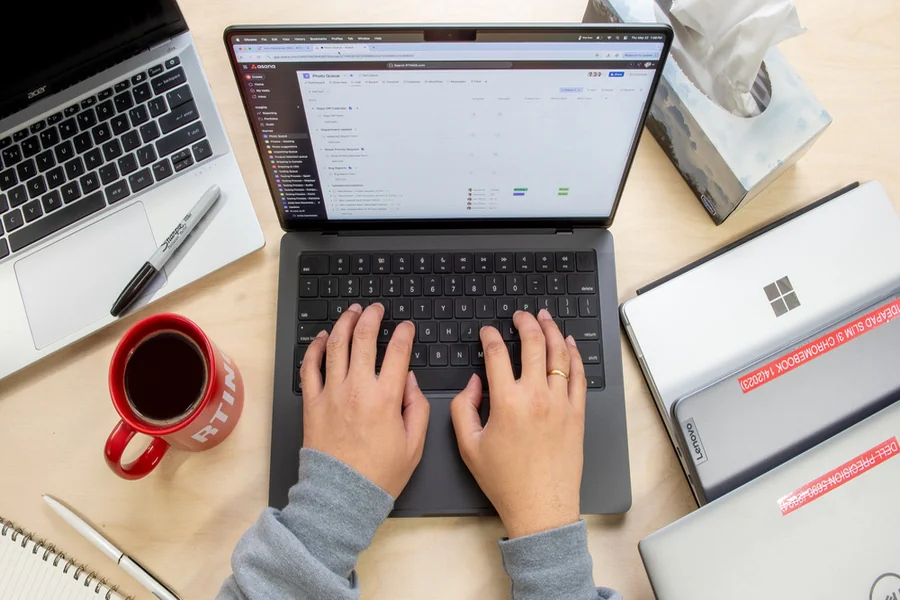
Back in the day, everyone had to go to on-site offices for their jobs. This meant waking up early, setting a daily schedule, working the entire day, and then coming back home.
However, as time passed, and especially during the pandemic, we were introduced to either hybrid systems of working, which included working from home and going to the office on set days, or fully remote work that allowed you to work from home.
Working from home sounds easy on paper, but there are many intricacies to consider before you get started. They typically include your equipment, such as your router, a powerful laptop, a mic, a headset, and a formidable internet connection.
For the internet, I recommend using an Xfinity connection, as I have been using it for a long time, and it gives me all the reliability that I need. If you’re looking to upgrade, just contact Xfinity customer service to find out more about their plans and pricing.
As for the laptop, picking one out isn’t easy, since there are a lot of options for you to choose from. You have to keep all the specs you need in mind, all while making sure that you don’t go overboard with your budget.
But to save you from the hassle of manual research, I’ve picked out a few options for you to consider. This guide tells you about all the best laptops of 2026 that work brilliantly for remote work, so make sure you read to the end to make an educated decision.
Let’s start!
Lenovo ThinkPad X1 Carbon Gen 13 Aura Edition – A Performance Powerhouse
If there’s one thing that Lenovo is known for, it’s high-performance laptops with stellar build quality. If we’re talking business, then the Lenovo ThinkPad Carbon Gen 13 is the best pick for people working from home. It comes with a sleek design and is super light in weight, which makes it easy to carry around wherever you go.
Not only that, but the laptop is also packed with a powerful Core Ultra 7 258V processor, making it the perfect choice for work due to its amazing processing capabilities and AI integration. The laptop also features intelligent operating modes, which make it easier for you to work without using too many of the laptop’s resources (which can slow it down). With a nearly 20-hour battery life, you can get more work done without having to recharge the laptop, which is yet another plus point.
The laptop is almost as light as air, all thanks to the Carbon fiber body along with magnesium and aluminum. On top of that, you get a vibrant 2.8K OLED screen, making it the perfect choice for creative work such as image editing, video editing, and graphic design.
If you wish to make an intelligent investment for your laptop, then this ThinkPad should definitely be on your list of laptops to consider this year. I’ve been using this laptop for a while now, and I’ve been more than happy with it. The AI helps streamline my work, and the display makes every movie and TV show as immersive as possible (whenever I’m free to watch, that is), especially when I connect the laptop to a stellar internet service, which allows me to stream content in the highest possible quality, helping me make the most out of the display. For seamless work and streaming in crisp quality during your free time, it is imperative for you to keep your laptop connected to a well-known internet service.
MacBook Air M4 – The Budget-Friendly Option
If Apple is more your style, then you should definitely consider getting the MacBook Air powered by the M4 chip. It’s the lightest in the MacBook series, making it super easy to carry around, and it has a passive cooling system that makes it extremely quiet, perfect to use even in a library.
The M4 gives you the perfect balance between performance, portability, and practicality, making it a brilliant choice regardless of whatever work you do.
The laptop comes in two display options: you may either go for the 13.6” or the 15.3” screen, but both of them come with Apple’s well-known Liquid Retina display. As for the performance, the laptop packs a powerful 10-core CPU and an 8 or 10-core GPU, making it a wonderful option for remote work.
You can choose between the 16GB or 24GB memory options, and for storage, there’s either a 256 GB SSD or a 512 GB SSD, ensuring that you get the writing speed that you need to get your work done as quickly as possible.
If you’re concerned about carrying the laptop around, the Air variant is always the lightest one out of the series, giving you all the more reason to buy one for yourself. I won’t tell you to go for the M5 chip right off the bat, because the M4 MacBook will cost you less, helping you stay within your budget and not break the bank.
In fact, I absolutely love carrying this laptop around wherever I go. Having an Xfinity internet connection at home gives me access to the numerous WiFi hotspots spread all over the city, making sure I’m connected wherever I go.
Dell Latitude 7450 (Intel Core Ultra 7) – The Popular Choice
Even for people who don’t know much about laptops, they know that Dell is one of the most popular choices when it comes to laptops, be it for casual use, work, or even gaming. So, if you’re looking for an all-rounder, then look no further than the Latitude 7450 with the Intel Core Ultra 7 chip.
For laptops running Windows, this one is pretty versatile and gives you a bang for your buck.
It comes with a 14” FHD+ screen with a built-in anti-glare. The Intel Core Ultra 7 (Series 2) chip makes sure that your laptop never lags and that it can handle intense work without giving up on you. As for the memory, you can choose between 16GB or 32GB, depending on the nature of your work.
This variant of the Latitude features a dedicated 512GB SSD for your storage, making sure that your laptop works as quickly as possible and doesn’t slow down as you work. The battery lasts for around 13 hours, which is just enough to keep the ball rolling as you work and collaborate with your team.
So, for people who value consistency, dependability, and performance, this laptop is the one for you.
HP EliteBook 840 G11 – The One with Great Battery Time
Carrying a laptop charger around can be a nuisance, and so can looking for a power outlet in public spaces.
Therefore, it’s necessary to look for a laptop that gives you solid battery timing. In that case, the HP EliteBook 840 G11 can do wonders for you, since it gives you around 14 hours of battery life, just enough to coordinate with your colleagues to get your work done.
The laptop features a 14” screen and is powered by an Intel Core Ultra 5 or Ultra 7 processor, making it great for working online, provided that you have a reliable internet connection to work with.
Other than the processor, the laptop gives you 16GB of memory, which hits the sweet spot for you to run multiple applications at the same time without the fear of your laptop slowing down.
For the storage, you may either get the 512GB SSD or the 1TB, though I highly recommend the 1TB variant if you work with large files. The best part about the laptop is that it offers great value for the price, making it a solid contender on your list of laptops you can consider buying.
Now that you know about all the major laptops you can get in 2026 for remote work, the ball is in your court. It is up to you to decide which laptops work in your favor in terms of performance, portability, and budget. Good luck!